I could imagine something like this happening if you ran the same code in two clusters with different versions of the runtime.
Hello @Siddhesh Bhurke ,
Welcome to the Microsoft Q&A platform.
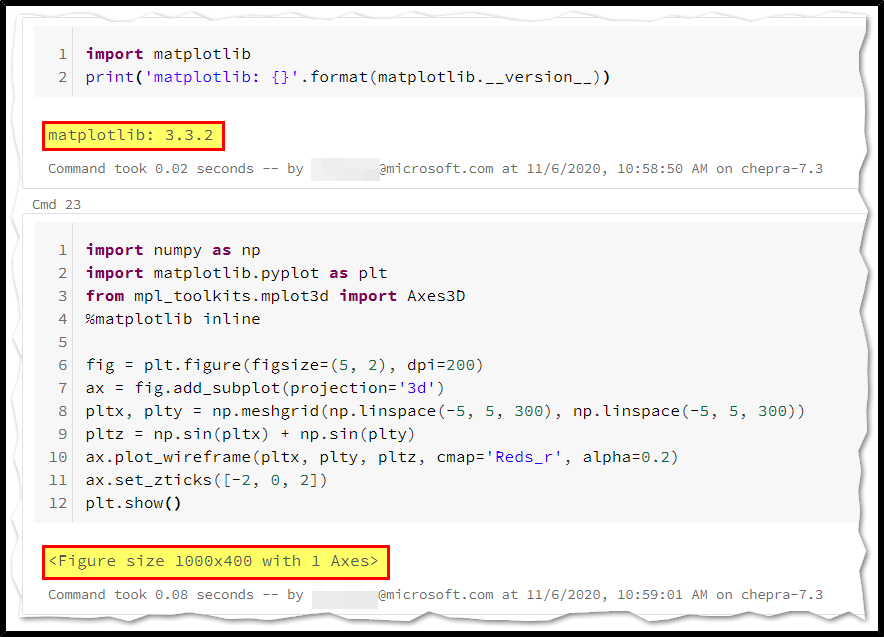
It looks like an issue with the matplotlib modules above 3.3.0.
To know the exact reason, I would suggest you to report here: https://github.com/matplotlib/matplotlib/issues
As per the test from our end, you will experience the following error message with the matplotlib modules above 3.3.0.
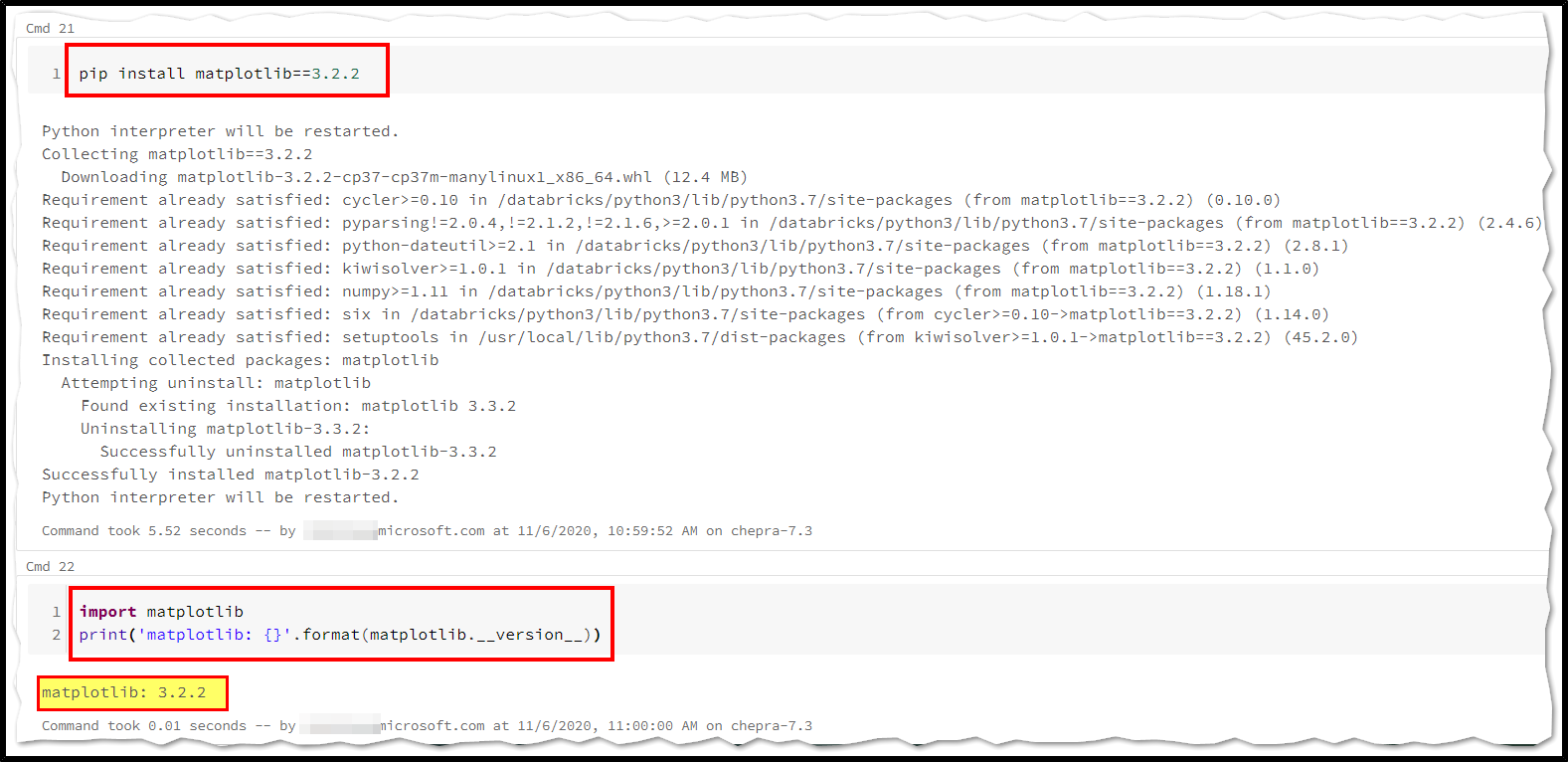
If you have installed matplotlib modules above 3.3.0, I would suggest you to use matplotlib modules below 3.2.2.
Once you have installed matplotlib==3.2.2, I'm able to successfully display the plot.
Hope this helps. Do let us know if you any further queries.
------------
Please accept an answer if correct. Original posters help the community find answers faster by identifying the correct answer. Here is how.
Want a reminder to come back and check responses? Here is how to subscribe to a notification.
Hello @Siddhesh Bhurke ,
Following up to see if the above suggestion was helpful. And, if you have any further query do let us know.
Take care & stay safe!
I actually changed the cluster version to 7.2 from 6.5. I tried your answer but even after installing 3.2.2 the version still remained the pervious one.
Thanks for your response.