在AndroidStudio中新建一个项目时出现:
A problem occurred configuring root project 'My Application'.
> Could not resolve all artifacts for configuration ':classpath'.
> Could not resolve org.jetbrains.kotlin:kotlin-gradle-plugin:1.3.60.
Required by:
project :
> Could not resolve org.jetbrains.kotlin:kotlin-gradle-plugin:1.3.60.
> Could not get resource 'https://dl.google.com/dl/android/maven2/org/jetbrains/kotlin/kotlin-gradle-plugin/1.3.60/kotlin-gradle-plugin-1.3.60.pom'.
> Could not GET 'https://dl.google.com/dl/android/maven2/org/jetbrains/kotlin/kotlin-gradle-plugin/1.3.60/kotlin-gradle-plugin-1.3.60.pom'. Received status code 400 from server: Bad Request
> Could not resolve org.jetbrains.kotlin:kotlin-gradle-plugin:1.3.60.
> Could not get resource 'https://jcenter.bintray.com/org/jetbrains/kotlin/kotlin-gradle-plugin/1.3.60/kotlin-gradle-plugin-1.3.60.pom'.
> Could not GET 'https://jcenter.bintray.com/org/jetbrains/kotlin/kotlin-gradle-plugin/1.3.60/kotlin-gradle-plugin-1.3.60.pom'. Received status code 400 from server: Bad Request
无法成功编译项目。
在MyApplication项目的错误信息中有这样的信息:
FAILURE: Build failed with an exception.
* What went wrong:
A problem occurred configuring root project 'My Application'.
> Could not resolve all artifacts for configuration ':classpath'.
> Could not resolve org.jetbrains.kotlin:kotlin-gradle-plugin:1.3.60.
Required by:
project :
> Could not resolve org.jetbrains.kotlin:kotlin-gradle-plugin:1.3.60.
> Could not get resource 'https://dl.google.com/dl/android/maven2/org/jetbrains/kotlin/kotlin-gradle-plugin/1.3.60/kotlin-gradle-plugin-1.3.60.pom'.
> Could not GET 'https://dl.google.com/dl/android/maven2/org/jetbrains/kotlin/kotlin-gradle-plugin/1.3.60/kotlin-gradle-plugin-1.3.60.pom'.
Received status code 400 from server: Bad Request
> Could not resolve org.jetbrains.kotlin:kotlin-gradle-plugin:1.3.60.
> Could not get resource 'https://jcenter.bintray.com/org/jetbrains/kotlin/kotlin-gradle-plugin/1.3.60/kotlin-gradle-plugin-1.3.60.pom'.
> Could not GET 'https://jcenter.bintray.com/org/jetbrains/kotlin/kotlin-gradle-plugin/1.3.60/kotlin-gradle-plugin-1.3.60.pom'.
Received status code 400 from server: Bad Request
注意看信息中的提示内容:Received status code 400 from server: Bad Request
从这里可以知道,应该是网络的问题,没有办法从网上获取 .pom 文件。
原因已经找到了,就是:网络有问题。
但是网络到底哪里出了问题,还需要进一步的调查:
- 将url复制到浏览器中访问发现,这个.pom文件是可以正常下载的。这说明,我们的网络环境应该是没问题的。那么就可以知道,问题出在Gradle或者AndroidStudio的网络环境配置方面。
- 打开AndroidStudio的 HttpProxy界面:
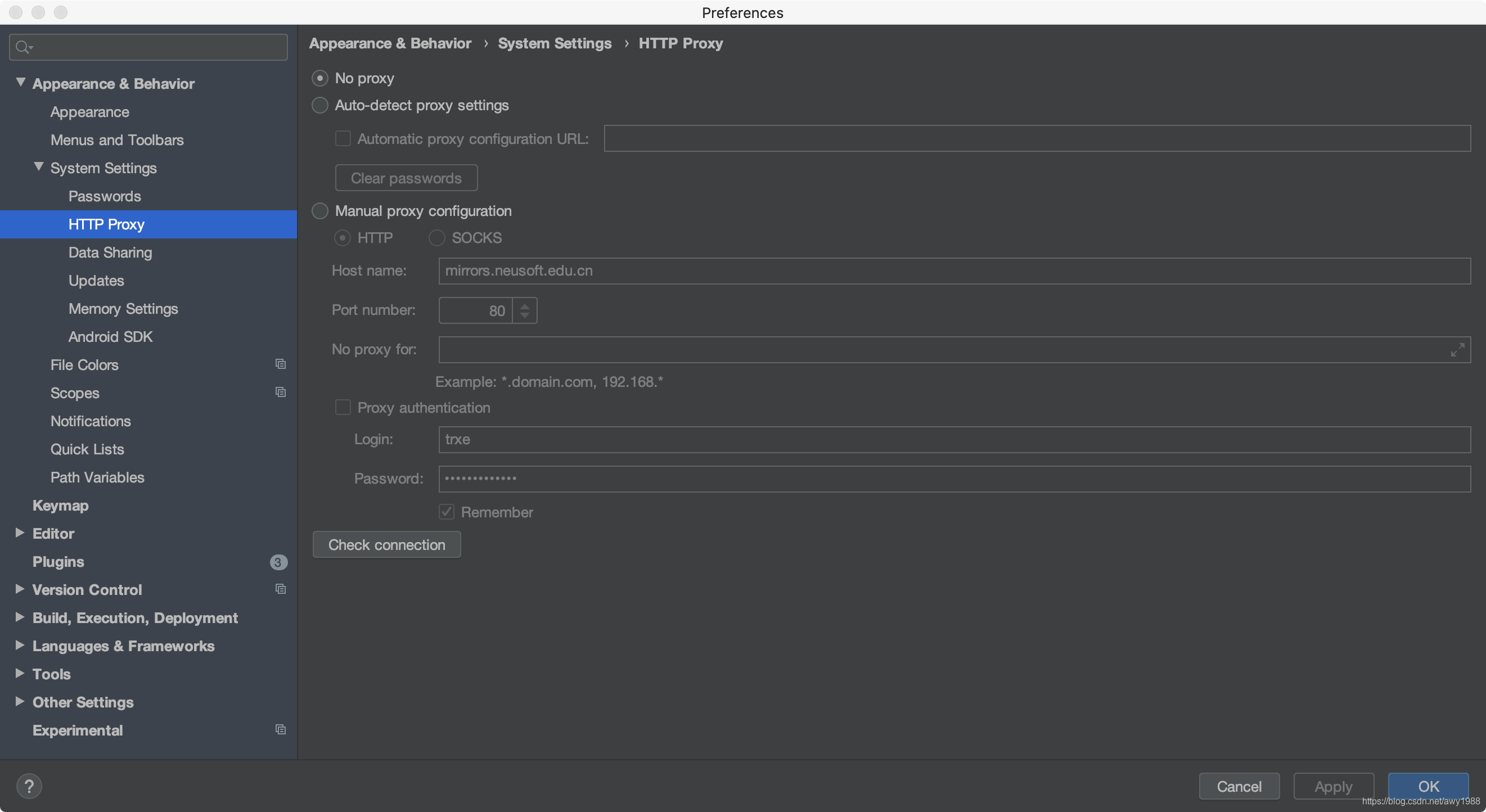
发现并无异常。 - 查看本地Gradle的全局属性配置文件
gradle.properties
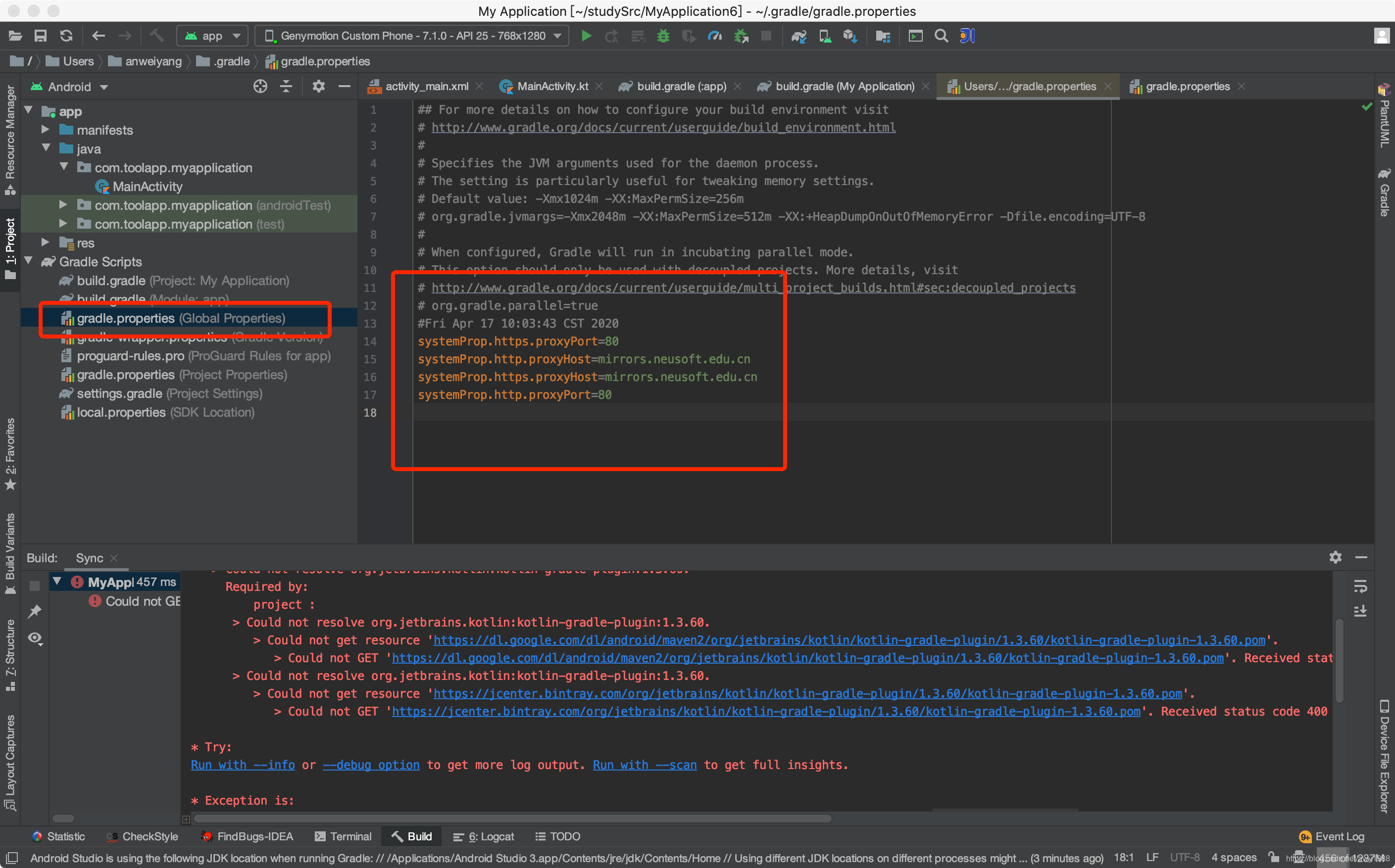
发现配置了代理。毫无疑问,这个代理服务器是不好用的。因为这个明显看出来是更新AndroidSDK时用的国内镜像代理,跟Gradle没啥关系。
删除gradle.properties 文件中的代理配置,同步工程,问题解决。
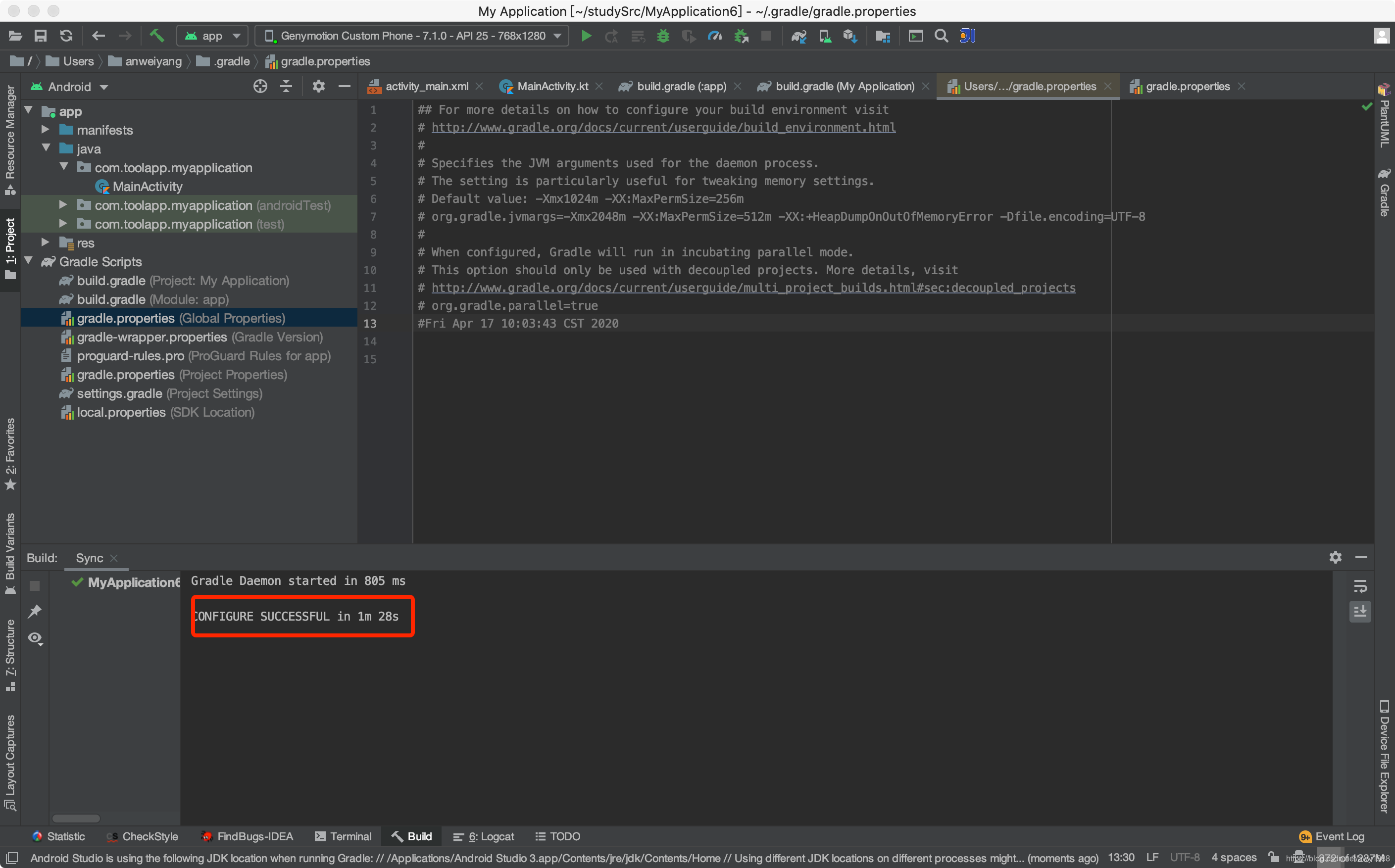
通过这个问题的分析过程,我得到的启示是:遇到问题要把思路捋清,找对原因并解决,而不是盲目的去网上搜索答案。有的时候自己一步一步去发现问题解决问题的速度可能要比直接去搜索答案更快,而且于此同时还锻炼了自己思考问题、分析问题、解决问题的能力。
获取 kotlin-gradle-plugin 失败问题现象原因解决思考现象在AndroidStudio中新建一个项目时出现:A problem occurred configuring root project 'My Application'.> Could not resolve all artifacts for configuration ':classpath'. ...
Build file '/Users/******/****/android/golf/android/app/build.gradle' line: 26
* What went wrong:
A problem occurred evaluating project ':app'.
> Could not resolve all artifacts for configuration 'classpath'.
> Could not resolve org.jetbrains.
解决Android Studio No cached version of org.jetbrains.kotlin:kotlin-gradle-plugin:1.1.50 available fo...
昨天笔记本重装了系统,今天下载安装了最新的版本:Android Studio 4.2,然后创建一个新项目后就出现了异常,如下:
A problem occurred configuring root project 'HelloWorld'.
> Could not resolve all artifacts for configuration ':classpath'.
> Could not find org.jetbrains.kotlin:kotlin-gradle-plugin:
spring框架编译的时候,报
Plugin Repositories (could not resolve plugin artifact ‘io.spring.dependency-management:io.spring.dependency-management.gradle.plugin:1.0.5.RELEASE’)
解决办法:
打开配置文件gradle-wrapper.properties将distributionUrl修改
旧:distributionUrl=https://services
A problem occurred configuring root project ‘android01’.
Could not resolve all artifacts for configuration ‘:classpath’.
Could not resolve org.jetbrains.kotlin:kotlin-stdlib-jre8:1.2.0.
Required by:
本来项目的build.gradle中使用的是google()来下载gradle 后来换成了
A problem occurred configuring root project 'kaikeba'.
> Could not resolve all artifacts for configuration ':classpath'.
> Could not resolve org.jetbrains.kotlin:kotlin-gradle-plugin:1.5.20.
Required by:
project :
mac IDEAkotlin plugin无法加载的问题
近期重新温习一下kotlin的语法,在idea中加载了edutools 插件,重启IDEA,选择kotlin的课程,到这一切顺利。
说完顺利接着就问题了,做完题目 check的时候报错:idea Could not resolve org.jetbrains.kotlin:kotlin-gradle-plugin:1.3.21。
直接点击下载链接是可以用浏览器打开的,说明链接没有问题,可能有代理什么的问题,
通过百度果然结果是两种情况 1..
关于Android中RelativeLayout下面的三个属性:layout_centerVertical,layout_centerInParent,layout_centerHorizontal
17906
Could not resolve org.jetbrains.kotlin:kotlin-gradle-plugin:1.3.60.(因Gradle代理设置问题导致)
Dale_H:
面经系列(六)公司:JJL
不正经的kimol君:
面经系列(六)公司:JJL
释怀人生:


