



openlayers6实现线水流效果(附源码下载)

内容概览
1.基于openlayers6实现线水流动效果
2.源代码demo下载
效果图如下

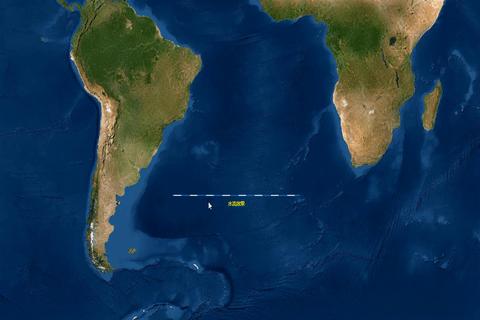
实现思路
1.创建矢量图层;
2.设置矢量图层样式,以样式组形式;
3.矢量图层样式组底层保持不变,改变矢量图层的要素feature属性值,动态更新顶层样式的线间隔lineDashOffset属性值,达到线水流动效果。
关键点:矢量图层的样式style内部更新渲染机制,在图层可见范围,地图缩放会自动触发;矢量图层的要素设置属性值变化的话,也会触发。
- 实现代码如下,源码demo下载在文章尾部
import { Map, View } from 'ol';
import TileLayer from 'ol/layer/Tile';
// import XYZ from 'ol/source/XYZ';
import {OSM,TileArcGISRest, Vector as VectorSource} from 'ol/source';
import 'ol/ol.css';
import VectorLayer from 'ol/layer/Vector';
// import VectorSource from 'ol/source/Vector';
import { Style, Fill, Stroke, Text } from 'ol/style';
import GeoJSON from 'ol/format/GeoJSON';
const geojsonObject = {
 'type': 'FeatureCollection',
 'crs': {
 'type': 'name',
 'properties': {
 'name': 'EPSG:3857',
 'features': [
 'type': 'Feature',
 'geometry': {
 'type': 'LineString',
 'coordinates': [
          [-5e6, -5e6],
          [0, -5e6],
const vectorSource = new VectorSource({
 features: new GeoJSON().readFeatures(geojsonObject),
const vectorlayer = new VectorLayer({
 source: vectorSource,
 style: function (feature) {
 //控制显隐
 let style = null;
      style = getStyle(feature, true);
 return style;
const map = new Map({
 layers: [
 // new TileLayer({
 //   source: new OSM(),
 // }),
 new TileLayer({
 source: new TileArcGISRest({
 url: "https://services.arcgisonline.com/arcgis/rest/services/World_Imagery/MapServer",
    vectorlayer,
 target: 'map',
 view: new View({
 center: [0, 0],
 zoom: 2,
function getStyle(feature, isFlow) {
 let style;
 const geomtype = feature.getGeometry().getType();
 if (geomtype == "LineString") {
    style = getLineStyle(feature, isFlow);
 return style;
function getLineStyle(feature, isFlow) {
 let _font = "12px Arial";
 const name = feature.get("name") ? feature.get("name") : "水流效果";
 const extend = feature.get("extend");
 const direction = extend && extend.direction || 0; // 0代表正方向 -1代表反方向
 let styles = [
 new Style({
 stroke: new Stroke({
 color: "rgba(30,144,255, 0.7)",
 width: 2,
 lineDash: [0]
 text: new Text({
 text: name,
 fill: new Fill({
 color: '#FFFF00',
 font: _font,
 offsetY: 20,
 placement: "line"
 if (isFlow) {
 //判断是否有水流效果
    styles.push(new Style({
 stroke: new Stroke({
 // color: [204, 204, 255, 1],
        color: [255, 250, 250, 1],
 width: 2,
 lineDash: [20, 27], //一组线段和间距交互的数组,可以控制虚线的长度