Apogee Product Software & Firmware Versions List (Current Products)
Firmware and software versions of our current products
This article is for informational purposes. It lists the most recent Installer Download file for current Apogee products, along with what software version and hardware/firmware versions are included.
The actual installers can be obtained from the Apogee Software Installer
Downloads Page
~*macOS 15 Sequoia*~
Current products are compatible: MiC+, HypeMiC, Jam+, JamX, Boom, Duet 3, Symphony Desktop, Symphony Studio, Symphony I/O MkII
Plugins are compatible: Clearmountain's Domain & Spaces & Phases, Pultec EQP-1A & MEQ-5, ModEQ & ModComp, Opto-3A, Soft Limit
Discontinued & Legacy products are not guaranteed. See notes on the "Legacy Product Installers" tab at https://apogeedigital.com/download-files/
Contents (click to jump to that section)
Apogee Hardware Interfaces
Symphony I/O MkII
Apogee Plugins
Plugin Compatibility Chart:
Apogee Hardware Interfaces
Mac OS: 10.15 or later (Intel & Apple Silicon Macs)
PC: Windows 10 Anniversary update or later
iOS: iOS Control 2 app available -
Read More
Installer File Name (Mac OS):
ApogeeControl2-DSP-macOS.zip
Installer File Name (Windows):
ApogeeControl2-DSP-Windows.zip
These will install the following versions onto your computer:
Apogee Control 2 Software Version: 1.21.41 (Mac & Win)
Firmware: 1.0.30
Windows USB Driver version 5.68.0
ECS Channel strip plugin - Included in Control 2 DSP Installer
Duet 3
Mac OS: 10.15 or later (Intel & Apple Silicon Macs)
PC: Windows 10 Anniversary update or later
iOS: iOS Control 2 app available -
Read More
Installer File Name (Mac OS):
ApogeeControl2-DSP-macOS.zip
Installer File Name (Windows):
ApogeeControl2-DSP-Windows.zip
These will install the following versions onto your computer:
Apogee Control 2 Software Version: 1.21.41 (Mac & Win)
Firmware: 1.0.58
Windows USB Driver version 5.68.0
ECS Channel strip plugin - Included in Control 2 DSP Installer
Symphony Desktop
Mac OS: 10.15 or later (Intel & Apple Silicon Macs)
PC: Windows 10 (20H1) or later
iOS: iOS 13 or later
Installer File Name (Mac OS):
ApogeeControl2-DualPath-macOS.zip
Installer File Name (Windows):
ApogeeControl2-DualPath-Windows.zip
These will install the following versions onto your computer:
Apogee Control 2 Software Version: 1.21.41 (Mac & Win)
Symphony Desktop "Touch Screen OS" version: 1.20.18
Windows USB Driver version 5.68.0
Latest plugin versions - Included in Symphony Desktop Installer
Symphony Studio Series
macOS: 10.15 or later (Intel & Apple Silicon Macs)
PC: Windows 10 (20H1) or later
Installer File Name (Mac OS):
Apogee_Symphony_Studio_Mac.zip
Installer File Name (Win):
Apogee_Symphony_Studio_Windows.zip
This will install the following versions onto your computer:
Apogee Control 2 version
1.21.44
Symphony Studio Firmware version:
0.0.35
Windows USB Driver version
5.68.0
Duet for iPad and Mac / Duet 2
Mac OS: 10.9 or later (Intel & Apple Silicon Macs)
PC: Windows 10 or later (older "Duet 2" model not compatible with Windows)
iOS: iOS 6 or later
For Mac OS 12 and above the Apogee Control 2 driver is required:
Installer File Name (macOS):
ApogeeControl2-MacOS.zip
Installer File Name (Windows):
ApogeeControl2-Windows.zip
Apogee Control 2 Software Version: 1.21.41 (Mac & Win)
Windows USB Driver version 5.68.0
Previous Maestro software for Mac OS 11 and lower:
Installer File Name (Mac OS 10.9 - OS 11):
Duet_2.5c.dmg
These will install the following versions onto your computer:
Apogee Maestro 2 Software Version: 2.10.9
Duet iOS Firmware (Mac OS): 0.3.5
Duet iOS Firmware (Windows 10): 3.05
Duet 2 Firmware (Mac OS only): 1.38
Maestro iOS software
(downloaded on the App store for iOS): Version 1.12
*Maestro iOS software compatible with iOS devices with lightning ports only.
One for Mac / One for iPad and Mac
Mac OS: 10.9 or later (Intel & Apple Silicon Macs)
PC: Windows 10 or later
iOS: iOS 6 or later
For macOS 11 Big Sur and above the Apogee Control 2 driver is required:
Installer File Name (macOS):
ApogeeControl2-MacOS.zip
Installer File Name (Windows):
ApogeeControl2-Windows.zip
Apogee Control 2 Software Version: 1.21.41 (Mac & Win)
Windows USB Driver version 5.68.0
Previous Maestro software for macOS 10.15 and lower:
Installer File Name:
one-ios-mac-2.5c.dmg
These will install the following versions onto your computer:
Apogee Maestro 2 Software Version: 2.10.9
Firmware (Mac OS): 1.5.0
Firmware (Windows 10): 1.05
Maestro iOS software
(downloaded on the App store for iOS): Version 1.12
*Maestro iOS software compatible with iOS devices with lightning ports only.
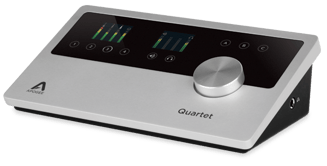
Quartet
Mac OS: 10.9 or later (Intel & Apple Silicon Macs)
PC: Windows 10 or later
iOS: iOS 6 or later
For Mac OS 12 and above the Apogee Control 2 driver is required:
Installer File Name (macOS):
ApogeeControl2-MacOS.zip
Installer File Name (Windows):
ApogeeControl2-Windows.zip
Apogee Control 2 Software Version: 1.21.41 (Mac & Win)
Windows USB Driver version 5.68.0
Previous Maestro software for Mac OS 11 and lower:
Installer File Name (Mac OS 10.14 - OS 11):
quartet-2.5c.dmg
These will install the following versions onto your computer:
Apogee Maestro 2 Software Version: 2.10.9
Firmware (Mac OS): 1.3.9
Firmware (Windows 10): 13.09
Maestro iOS software
(downloaded on the App store for iOS): Version 1.12
*Maestro iOS software compatible with iOS devices with lightning ports only.
HypeMiC & MiC+
Mac OS 10.9 or later (Intel & Apple Silicon Macs)
No drivers or software needed for Mac
Windows 10 or later
Windows Installer name:
Apogee_Windows_USB_Driver_Installer_v5.68.0.zip
iOS 9 or later
HypeMic Firmware
: 1.0.11
or
1.0.22
Updating firmware update requires using the
Maestro iOS software
(downloaded on the App store for iOS): Version 1.12
*Maestro iOS software is compatible with iOS devices with lightning ports only.
Windows 10 or later
Windows Installer name:
Apogee_Windows_USB_Driver_Installer_v5.68.0.zip
iOS 9 or later
Jam Plus Firmware
: 1.0.23
Updating firmware update requires using the
Maestro iOS software
(downloaded on the App store for iOS): Version 1.12
*Maestro iOS software is compatible with iOS devices with lightning ports only.
Element 88 Trade-In Program
Element 24 / Element 46 / Element 88
Mac OS 10.15.7 or later (Intel & Apple Silicon Macs)
**Known-Issue: Combining units in Multi-Unit mode does not work with the latest macOS 15 Sequoia version.
Installer File Name (Mac OS 10.15.7 or later):
Ensemble_Element_Release.3.5.2.zip
This will install the following versions onto your computer:
Apogee Control Software Version: 6.0.26
Firmware:
Firm 0.5.0, FPGA 0.26
Apogee Control iOS App
(downloaded on the App store for iOS): Version 1.2
*Control iOS App requires iOS 9 or later
Ensemble Thunderbolt Trade-In Program
Ensemble Thunderbolt
Mac OS 10.15.7 or later (Intel & Apple Silicon Macs)
**Known-Issue: Combining units in Multi-Unit mode does not work with the latest macOS 15 Sequoia version.
Installer File Name (Mac OS 10.15.7 or later):
Ensemble_Element_Release.3.5.2.zip
This will install the following versions onto your computer:
Apogee Control Software Version: 6.0.26
Firmware: Firm 1.5.3.6, FPGA 0.56, Resource 6
Apogee Control iOS App
(downloaded on the App store for iOS): Version 1.2
*Control iOS App requires iOS 9 or later
Symphony Mk II Thunderbolt
*Thunderbolt option card installed only

Mac OS 13.6 or later (Intel & Apple Silicon Macs)
Installer Name:
ApogeeControl2-macOS.dmg
This will install the following versions onto your computer:
Control 2 Software Version: 1.21.41
Firmware:
0.9.B2.21 FPGA 0.51
Previous "Symphony Control" software okay. Available on Downloads page.
*CANNOT have both Symphony Control and Control 2 drivers installed at the same time, they will conflict. Uninstall one before installing the other.
Symphony Mk II PT HD
*Pro Tools HD option card installed only
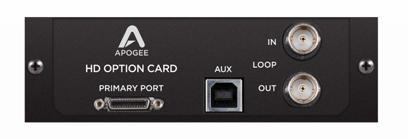
Firmware updater requires Mac OS 11 or later (Intel & Apple Silicon Macs)
Symphony Control App not applicable to Pro Tools HD only units.
No Apogee software download required.
Firmware update
not
required.
Mainboard firmware - PSoC: 0.9.B2.21, FPGA 0.51
PTHD option card firmware - Firm 0.10, FPGA 0.F
Symphony Mk II Dante
*Dante / Pro Tools HD option card installed only
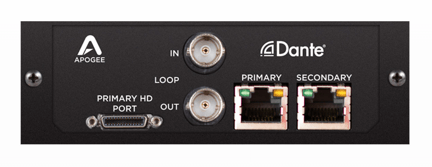
Firmware updater requires Mac OS 11 or later (Intel & Apple Silicon Macs)
Symphony Control App not applicable to Dante / Pro Tools HD only units. No Apogee software download required.
Mainboard firmware - PSoC: 0.9.B2
.21, FPGA 0.51
Dante+PTHD firm 0.36, FPGA 0.F
Symphony Mk II TB and PTHD
*Pro Tools HD and Thunderbolt option card installed

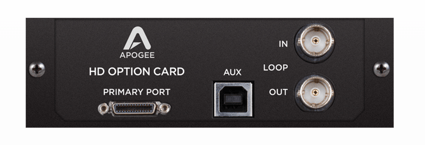
Thunderbolt Mode
: Mac OS 13.6 or later (Intel & Apple Silicon Macs)
*Symphony Control App only available in Thunderbolt Audio Interface mode.
Pro Tools HD Mode
: Compatible with any macOS & PTHD system that supports Avid HD I/O hardware
Installer File Name:
ApogeeControl2-macOS.dmg
This will install the following versions onto your computer:
Control 2 Software Version: 1.21.15
Mainboard Firmware: PSoC
0.9.B2.21, FPGA 0.51
PTHD Option Card Firmware: Firm 0.10, FPGA 0.F
Thunderbolt Mode
: Mac OS 13.6 or later (Intel & Apple Silicon Macs)
*Symphony Control App only available in Thunderbolt Audio Interface mode.
Dante Mode
: Any system that supports Dante
Dante+PTHD Mode
: Compatible with any macOS & PTHD system that supports Avid HD I/O hardware
Installer File Name:
ApogeeControl2-macOS.dmg
This will install the following versions onto your computer:
Control 2 Version: 1.21.15
Mainboard Firmware: PSoC
0.9.B2.21, FPGA 0.51
Dante+PTHD option card firmware: 0.36, FPGA 0.F
Symphony Mk II WSG
*Waves SoundGrid option card installed only
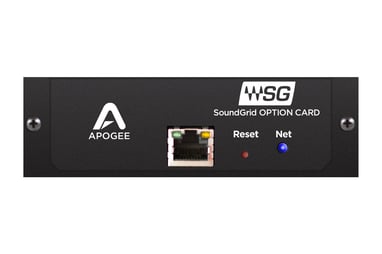
Mac OS: 10.11.6 or later
Symphony Control App not applicable to Waves SoundGrid units.
No Apogee software download required.
Only compatible with 8x8mkII, 16x16mkII, and 8micpre module cards:
SoundGrid FAQ for Symphony I/O Mk II when equipped with Waves SoundGrid option card
Firmware: 0.6.B.12, FPGA 0.4C
Version Number: 1.2 (build 1.19)
Apple: macOS 13.7.5 & above (Universal Binary: native on Apple Silicon & Intel Macs)
Windows: Win11 and higher
General Updates
:
- AAX User Default Option: We've removed the user default option from the AAX version to prevent conflicts with Pro Tools' built-in default system, ensuring smoother integration.
- Updated Factory Presets: Factory presets have been updated to include the new Mic Trim parameter.
Bug Fixes
: We've addressed several issues to enhance the plugin's reliability:
- Oversample Recall: The Oversample ON/OFF setting was not being recalled correctly from presets. This has been fixed.
- Knob Value Flashing: Knob values would briefly flash ON/OFF when switching between plugin instances. This visual glitch has been resolved.
- Delay Compensation (Oversampling ON): Delay compensation for Oversampling ON was not being reported properly. This is now corrected.
- Delay Compensation (Oversampling OFF): Delay compensation for Oversampling OFF (1 sample) was also not being reported properly. This has been fixed.
- Mic Pre Automation: An issue where Mic Pre automation would cause the output trim to rewrite itself has been resolved.
- Plugin Information: Plugin information was not being shown. We've added an "About" section to the "gear" GUI for easy access to this information.
Feature Enhancements
: We've added new functionalities to give you more control and flexibility:
- EQ Position Selection: You can now select EQ positions simply by clicking directly on the corresponding numbers in the GUI.
- Mic Trim Parameter: A new Mic Trim parameter (represented by a screwdriver icon) has been added, allowing for precise 0.1dB adjustments.
Clearmountain's Spaces
Mac OS: 10.12.6 or later (Universal Binary: native on Apple Silicon & Intel macs)
PC: Windows 10 or later
Version Number: 1.0.9
Mac OS Installer File Name: clearmountains-spaces_mac.dmg (Installer dialog says v1.0.7 but it's really v1.0.9)
Windows 10 Installer File Name:clearmountains-spaces_windows.zip
Version Number: 1.0.5
Apple: macOS 10.14.6 and above (Universal Binary: native on Apple Silicon & Intel macs)
- Mac OS Installer File Name: Apogee-ClearmountainsPhases_macOS.zip
PC: Windows 10 (20H2) and above
- Windows 10 Installer File Name:clearmountains-phases_windows.zip
Clearmountain's Domain
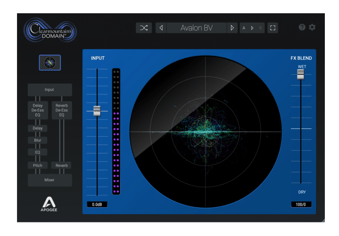
Mac OS: 10.12.6 or later (Universal Binary: native on Apple Silicon & Intel macs)
PC: Windows 10 or later
Version Number: 1.3.2
Installer File Name (Mac OS 10.12.6 and up): Apogee-ClearmountainsDomain_macOS.zip
Installer File Name (Windows 10 & up): Apogee-ClearmountainsDomain_Windows.zip
Apogee FX Rack
connector plugin
for Element & Ensemble
Thunderbolt's Dual-Path function.
Mac OS: 10.12.6 or later (Intel Based Macs / Apple Silicon Macs
in Rosetta mode only
)
Version Number: 2.1.9
*This single "FX Rack" plugin contain all 5 FX Bundle plugins inside. This is fixed and individual plugins cannot be removed.
Mac OS Installer File Name: ApogeeFX-Plugins.dmg
- Installed as part of the Ensemble_Element_Release.3.5.2.zip installer.
ApogeeChannelFX
Container plugin
for Symphony Desktop
Mac OS: 10.15 or later (Intel Based Macs / Apple Silicon Macs)
PC: Windows 10 or later
Version Number: 1.21.15
*This single "ApogeeChannelFX" contain is able to run all 5 FX Bundle plugins + ECS Channel Strip.
Only available as part of the Symphony Desktop installer.
Installer File Name (Mac OS):
ApogeeControl2-DualPath-macOS.zip
Installer File Name (Windows):
ApogeeControl2-DualPath-Windows.zip
ApogeeChannelFX
Symphony Desktop
*
These work in Print & Monitor modes
[which is Dual-Path] Workflow
Duet3
Print
only
Print
only


