(1)何为横屏/竖屏
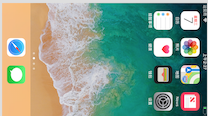
横屏
(
2)是否启动横屏/竖屏切换的区别
App开启横/竖屏切换:
开启横竖屏时,当屏幕为横屏时,系统window界面会以横屏的左上角为坐标系原点;当屏幕为竖屏时window界面会以竖屏的左上角为坐标系原点。横竖屏切换,坐标系切换。
App关闭横/竖屏切换:
关闭横竖屏时,当屏幕为横屏时,系统window界面会以横屏的左上角为坐标系原点;当屏幕为竖屏时window界面会以竖屏的左上角为坐标系原点。横竖屏切换,坐标系不会切换,系统会以屏幕的初时坐标系为坐标原点。
(3)UIKit处理屏幕旋转的流程
当加速计检测到方向变化的时候,会发出
UIDeviceOrientationDidChangeNotification
通知,这样任何关心方向变化的view都可以通过注册该通知,在设备方向变化的时候做出相应的响应。
UIKit的响应应屏幕旋转的流程如下
:
1、设备旋转的时候,UIKit接收到旋转事件。
2、UIKit通过AppDelegate通知当前程序的window。
3、Window会知会它的rootViewController,判断该view controller所支持的旋转方向,完成旋转。
4、如果存在弹出的view controller的话,系统则会根据弹出的view controller,来判断是否要进行旋转。
UIViewController实现屏幕旋转如下
:
在响应设备旋转时,我们可以通过UIViewController的方法实现更细粒度的控制,当view controller接收到window传来的方向变化的时候,流程如下:
1、首先判断当前viewController是否支持旋转到目标方向,如果支持的话进入流程2,否则此次旋转流程直接结束。
2、调用
willRotateToInterfaceOrientation:duration:
方法,通知view controller将要旋转到目标方向。如果该viewController是一个
container view
controller
的话,它会继续调用其content view controller的该方法。
这个时候我们也可以暂时将一些view隐藏掉,等旋转结束以后在现实出来。
3、window调整显示的view controller的bounds,由于view controller的bounds发生变化,将会触发
     viewWillLayoutSubviews

    方法。

     这个时候
self.interfaceOrientation和statusBarOrientation方向还是原来的方向。
4、接着当前view controller的
willAnimateRotationToInterfaceOrientation:duration:
方法将会被调用。系统将会把该方法中执行的所有属性变化放到动animation
block
中。
5、执行方向旋转的动画。
6、最后调用
didRotateFromInterfaceOrientation:
方法,通知view controller旋转动画执行完毕。这个时候我们可以将第二部隐藏的view再显示出来。
整个响应过程如下图所示:
二,如何设置横竖屏切换
(1)横竖屏方向枚举
横竖屏的三种枚举,
UIInterfaceOrientation
,
UIInterfaceOrientationMask
,
UIDeviceOrientation
。
*
UIInterfaceOrientation
当前页面的方向 (以home在下为正竖屏方向,home键在右为左横屏方向)
typedef NS_ENUM(NSInteger, UIInterfaceOrientation) {
UIInterfaceOrientationUnknown = UIDeviceOrientationUnknown,
UIInterfaceOrientationPortrait = UIDeviceOrientationPortrait, //正竖屏方向
UIInterfaceOrientationPortraitUpsideDown = UIDeviceOrientationPortraitUpsideDown, //反竖屏方向
UIInterfaceOrientationLandscapeLeft = UIDeviceOrientationLandscapeRight, //左横屏方向
UIInterfaceOrientationLandscapeRight = UIDeviceOrientationLandscapeLeft //右横屏方向
* UIDeviceOrientation是设备的当前所处的方向,而且事实上它有6个值,
typedef NS_ENUM(NSInteger, UIDeviceOrientation) {
UIDeviceOrientationUnknown, //未知方向
UIDeviceOrientationPortrait, //竖直


