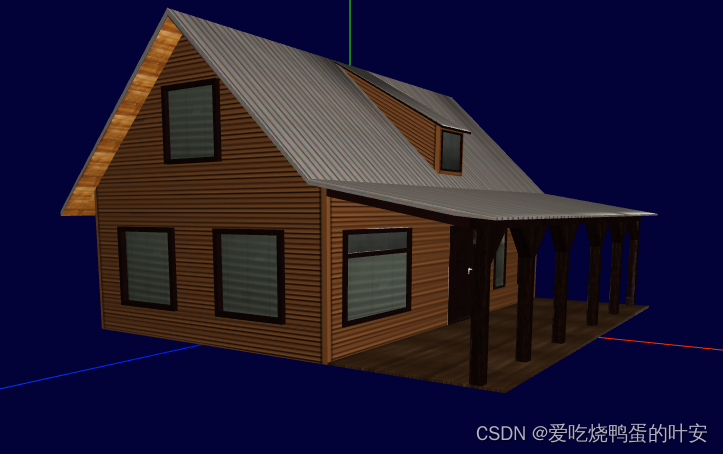
在创建控件对象时添加
this.controls.autoRotate = true // 是否自动旋转
只添加这一句是不行的,
只有在动画循环中调用controls.update()时,才可以使用OrbitControls.autoRotate。不能将自动旋转与on-demand呈现结合使用(这意味着使用控件的change事件侦听器)
上代码:
初始化场景的时候调用下面的两个方法(创建控件对象、最后渲染)
this.createControls() // 创建控件对象
this.render() // 最后进行渲染
第一步开启自动旋转
this.controls.autoRotate = true
// 创建控件对象
createControls() {
this.controls = new OrbitControls(this.camera, this.renderer.domElement)
this.controls.enablePan = true // 是否开启右键拖拽
this.controls.maxPolarAngle = 1.5 // 上下翻转的最大角度
this.controls.minPolarAngle = 0.0 // 上下翻转的最小角度
this.controls.autoRotate = true // 是否自动旋转
// this.controls.enableZoom = false // 是否可以缩放 默认是true
this.controls.dampingFactor = 0.5 // 动态阻尼系数 就是鼠标拖拽旋转灵敏度,阻尼越小越灵敏
第二步,最后的渲染
this.controls.update();
render() {
let animate = () => {
//循环调用函数
this.clearAnim = requestAnimationFrame(animate)
this.controls.update();
//渲染界面
this.renderer.render(this.scene, this.camera)
animate()
// 为模型绑定点击事件
this.renderer.domElement.addEventListener('click', this.modelMouseClick, false)
object模型对象中会返回各种属性,其中有个position字段关乎位置信息,里面有x、y、z三个轴的位置信息,通过xx.position.x = 0,可设置位置,坐标轴也是同等原理
loadFbxModel() {
const loader = new FBXLoader();
loader.load('/model/fbx/house_true.fbx', object => {
object.traverse( child => {
if ( child.isMesh ){
child.castShadow = true;
child.receiveShadow = true;
console.log(object)
object.scale.set(40,40,40)
object.position.x = 0
object.position.y = -80
object.position.z = 0
this.scene.add(object);//模型
只有在动画循环中调用controls.update()时,才可以使用OrbitControls.autoRotate。不能将自动旋转与on-demand呈现结合使用(这意味着使用控件的change事件侦听器)只添加这一句是不行的,在创建控件对象时添加。.........
<head>
<meta charset="UTF-8">
<title>第一个three.js文件_WebGL三维场景</title>
<style>
body {
# serve with hot reload at localhost:8080
npm run dev
# build for production with minification
npm run build
# build for production and view the bundle analyzer report
npm run build --report
# run unit tests
npm run unit
# run e2e tests
npm run e2e
# run all tests
npm test
有关工作原理的详细说明,请查看的和。
注意,这里设置的数值是弧度,需要和角度区分开
角度 转 弧度 MathUtils.degToRad(deg)
弧度 转 角度 MathUtils.radToDeg (rad)
rotateOnAxis 在局部空间中绕着该物体的轴来旋转一个物体
var rectShape = new THREE.Shape();
rectShape.moveTo( 0, 0 );
rectShape.lineTo( 0, rectWidth );
rectShape.lineTo( rectLength, rectWidth );
rectShape.lineT...
<script type="text/javascript">
function browserRedirect() {
var sUserAgent = navigator.userAgent.toLowerCase();
var bIsIpad = sUserAgent.match(/ipad/i) == "ipad";
var bIsIphoneOs = sUserAgent.match(/iphone os...


